Skip to content

How to use Hastega VPN mode with Split Tunneling for Gaming

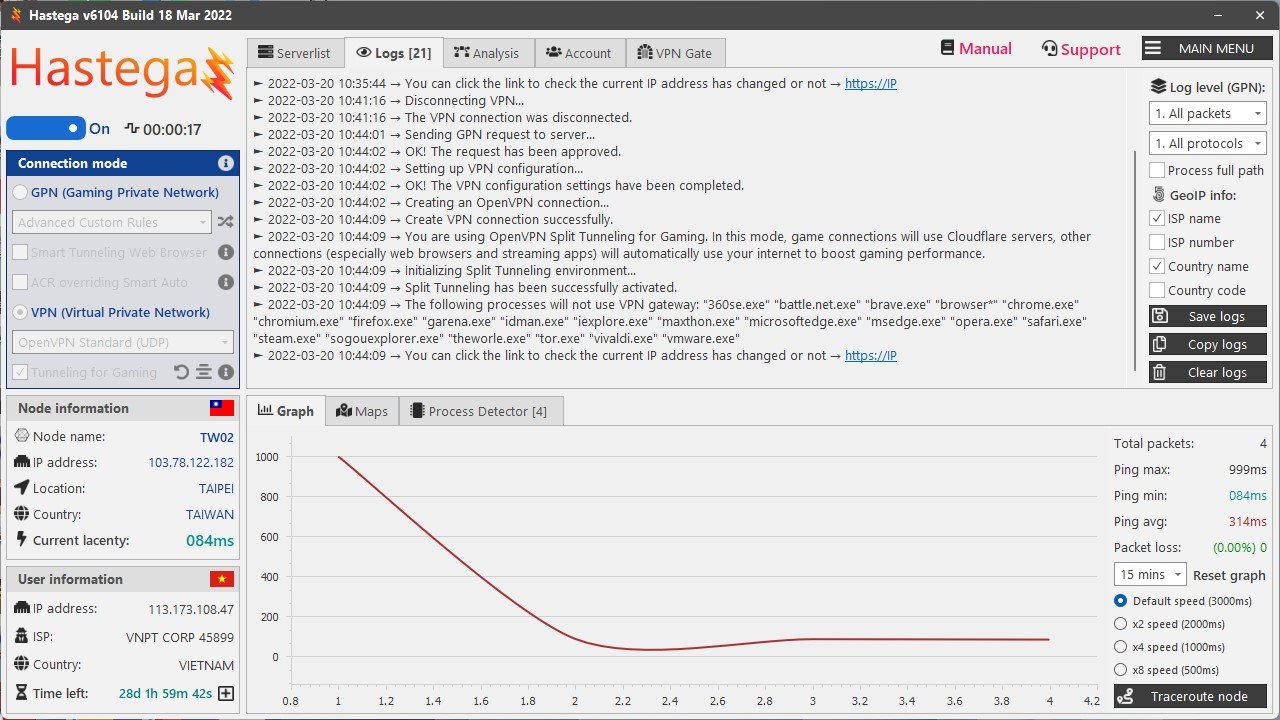
For a traditional VPN, when you connect successfully, all your internet connections will automatically go through the VPN gateway, which is very annoying if you use a VPN to play games. Split Tunneling for Gaming is a special technology developed by Hastega to enhance the experience when connecting to a VPN. When this feature is enabled, internet connections will still use the VPN gateway (the purpose is to always ensure game and app compatibility), but Hastega will create a private tunnel, allowing you to specify any which application, it will still use your internet directly.

This is extremely useful, it will help you to play the game smoother without being affected by other applications taking up bandwidth when using VPN in your computer, such as a browser, streaming application, downloader,…

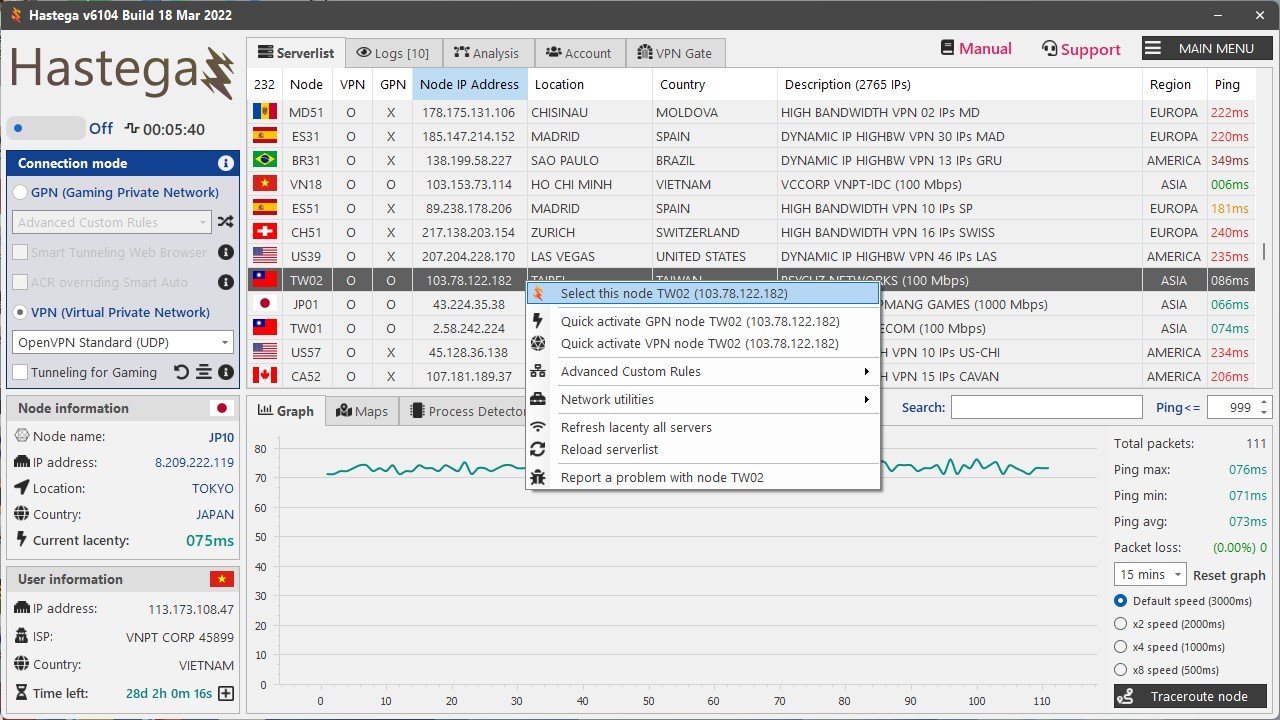
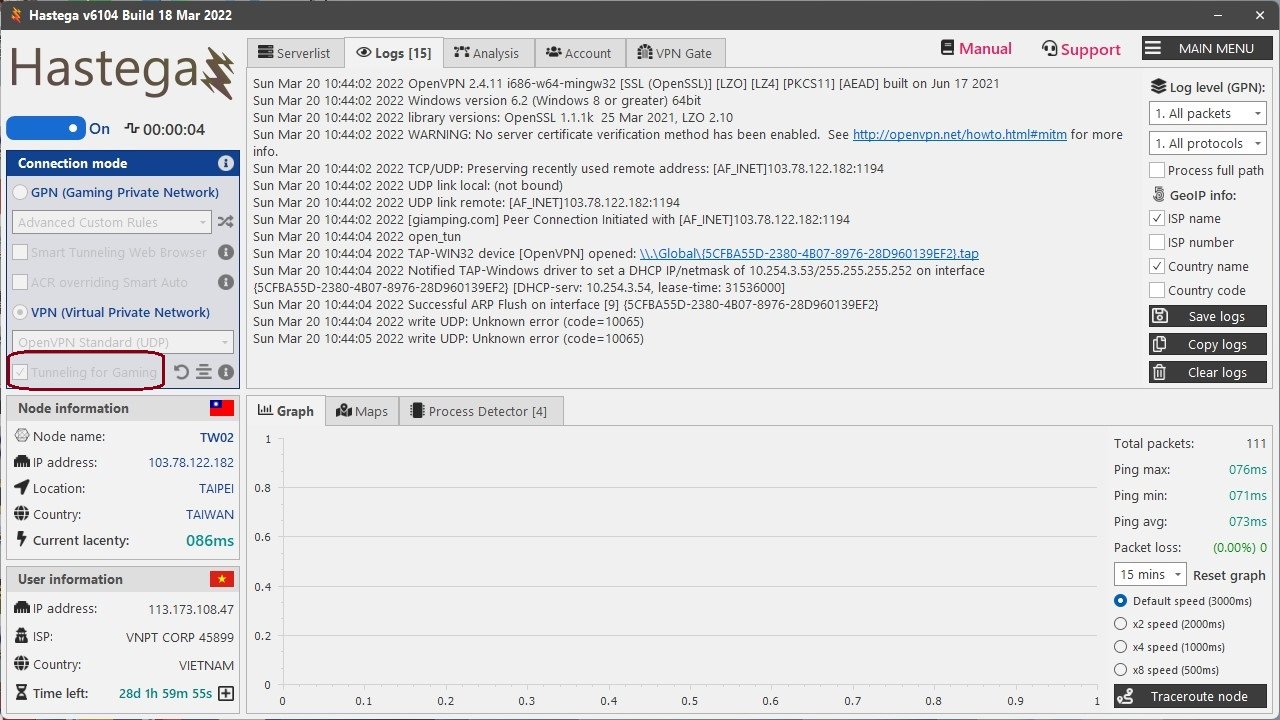
Right click on the server you want to use and add it to the control panel, before activating, check the Tunneling for Gaming checkbox.
Generic filters
Exact matches only
Search in title
Search in content
Search in excerpt

Dungeons & Dragons Online

Dungeons & Dragons Online is the premier MMORPG based on the original Dungeons & Dragons tabletop RPG created by Gary Gygax and Dave Arneson and first published in 1974, which has been an inspiration for almost every fantasy game since then. Using the D&D 3.5 ruleset as its base, DDO puts players into the Eberron story setting, onto
Read more »

Ragnarok Online II

Ragnarok Online II is a free-to-play fantasy MMORPG from Gravity and the sequel to the original Ragnarok Online. It allows players to choose from five classes and take on quests and instanced dungeons, engage in crafting, participate in PvP, and much more. FEATURES Five Classes | Choose from the five classes of Swordman, Magician, Archer, Thief, and Acolyte, each with
Read more »

LDPlayer 9

LDPlayer is a free Android emulator using the virtualization technology and it can help people experience Android operation system on their powerful computers. It is one of the best and lightest Android emulators for windows. Though LDPlayer is designed by a Chinese software company, it was released for all the users around the world so
Read more »