Skip to content

How to use Hastega GPN Smart Automatic mode

Smart Automatic is the default GPN mode, Hastega has updated the database of more than 1000 games and applications today. The purpose is for users to use the service quickly and easily, you just need to choose this mode, turn on the switch to see the effect within a few seconds.

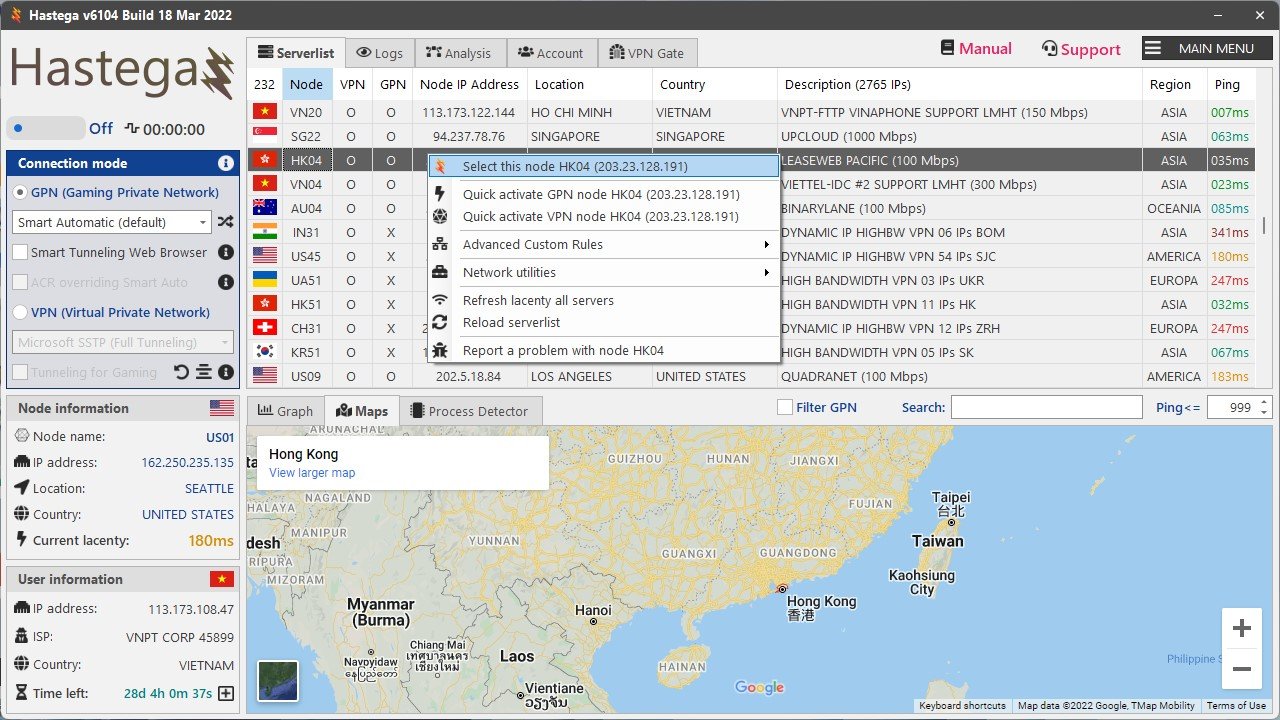
After logging in to the Dashboard, select the Serverlist tab, select the server you want to use (with GPN support) in the list, right click it to interact. Since you want to use the GPN (Gaming Private Network) feature, you will have 2 options: the first option (with the Hastega icon) and quickly activate GPN.

  • The first option is to set up the server you want to use and the features you want to activate later (GPN, VPN,…), after adding the server, in the connection mode control panel, select GPN Smart Automatic and activate toogle button below Hastega icon.
  • In the option to quickly activate GPN, the system will automatically select that server and activate Smart Automatic mode immediately.

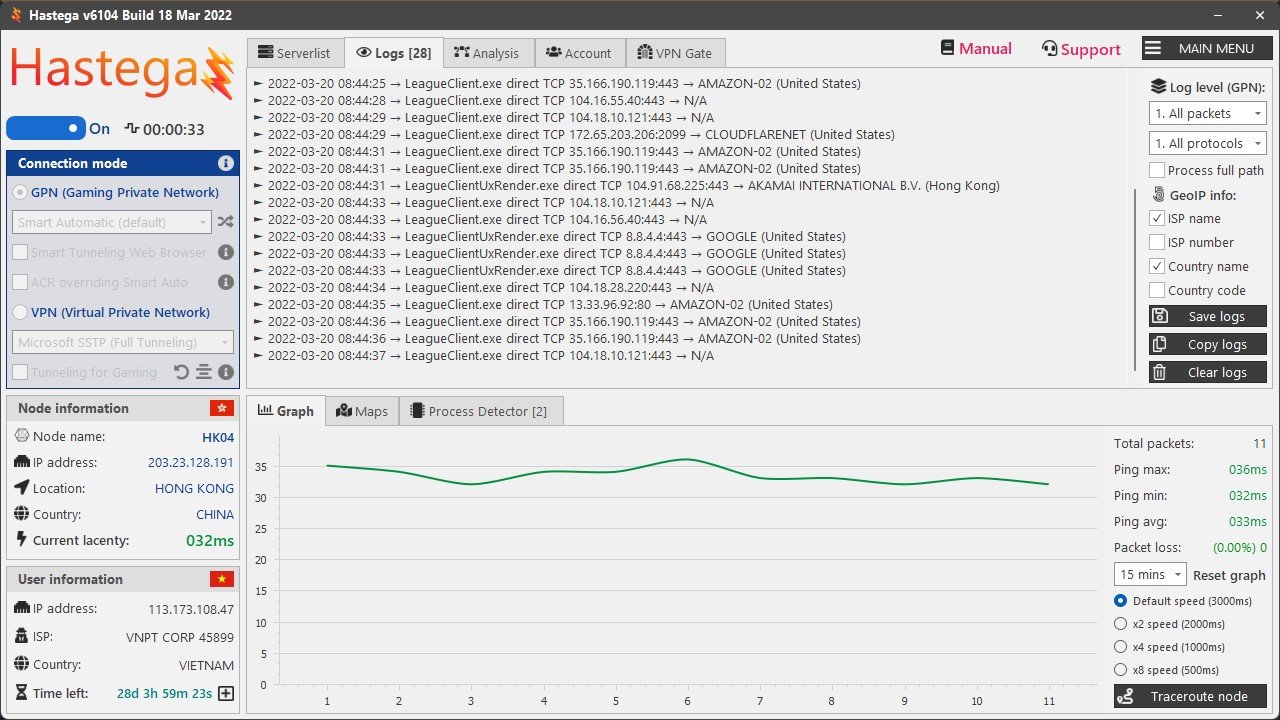
After activating GPN, the logs tab will appear, you open the game you will see the game appear in the logs, which means it was successful.
Generic filters
Exact matches only
Search in title
Search in content
Search in excerpt

MIR4

Overview MIR4 is a popular free-to-play open world massive multiplayer online, role-playing game (MMORPG), that can be cross-played on both PC and mobile devices. The game invites players to venture into the world of MIR to start their own adventure. Players are able to enjoy the peaceful life of gathering, crafting and hunting. However, players
Read more »

Legends of Runeterra

Legends of Runeterra is a strategy card game set in the world of League of Legends, where skill, creativity, and cleverness determine your success. Face off in dynamic, alternating combat full of opportunities to adapt and outplay. Make your move, but be ready to react, because your opponent has a plan of their own. It all comes down
Read more »

WWE 2K22

WWE 2K22 is a professional wrestling video game developed by Visual Concepts and published by 2K Sports. It is the twenty-second overall installment of the video game series based on WWE, the ninth game under the WWE 2K banner, and the successor to 2019’s WWE 2K20. It was released on March 11, 2022, for Microsoft Windows, PlayStation 4, PlayStation 5, Xbox One, and Xbox Series X/S. Gameplay WWE 2K’s MyCareer mode was
Read more »